.
DEMOCRACY IS FOR
EVERYBODY, NOT
JUST FOR A (OR
THE) MAJORITY.
-/-/-/-/-/-/-/-/-/-/-/
Another journey to China, via Baku (COP29), Georgia, India, and return via Mongolia, Russia and (therefore) Ukraine. Here's the blog: https://deborda.substack.com/p/debordaabroad2
-/-/-/-/-/-/-/-/-/-
The de Borda Institute
aims to promote the use of inclusive, multi-optional and preferential voting procedures, both in parliaments/congresses and in referendums, on all contentious questions of social choice.
This applies specifically to decision-making, be it for the electorate in regional/national polls, for their elected representatives in councils and parliaments, for members of a local community group, a company board, a co-operative, and so on. But we also cover elections.
* * * * *
The Institute is named after Jean-Charles de Borda, and hence the well-known voting procedure, the Borda Count BC; but Jean-Charles actually invented what is now called the Modified Borda Count, MBC - the difference is subtle:
In a vote on n options, the voter may cast m preferences; and, of course, m < n.
In a BC, points are awarded to (1st, 2nd ... last) preferences cast according to the rule (n, n-1 ... 1) {or (n-1, n-2 ... 0)} whereas,
in an MBC, points are awarded to (1st, 2nd ... last) preferences cast according to the rule (m, m-1 ... 1).
The difference can be huge, especially when the topic is controversial: the BC benefits those who cast only a 1st preference; the MBC encourages the consensual, those who submit not only a 1st preference but also their 2nd (and subsequent) compromise option(s). And if (nearly) every voter states their compromise option(s), an MBC can identify the collective compromise.
_/-_/-_/-_/-_/-_/-_/-_/-
DECISION-MAKER
Inclusive voting app
https://debordavote.com
THE APP TO BEAT ALL APPS, APPSOLUTELY!
(The latest in a long-line of electronic voting for decision-making; our first was in 1991.)
_/-_/-_/-_/-_/-_/-_/-_/-
FINANCES
The Institute was estabished in 1997 with a cash grant of £3,000 from the Joseph Rowntree Charitabe Trust, and has received the occasional sum from Northern Ireland's Community Relations Council and others. Today it relies on voluntary donations and the voluntary work of its board, while most running expenses are paid by the director.
_/-_/-_/-_/-_/-_/-_/-_/-
A BLOG
"De Borda abroad." From Belfast to Beijing and beyond... and back. Starting in Vienna with the Sept 2017 TEDx talk, I give lectures in Belgrade, Sarajevo, Istanbul, Tbilisi, Yerevan, Tehran, Beijing, Tianjin, Xuzhou, Hong Kong and Taiwan... but not in Pyongyang. Then back via Mongolia (where I had been an election observer in June 2017) and Moscow (where I'd worked in the '80s).
I have my little fold-up Brompton with me - surely the best way of exploring any new city! So I prefer to go by train, boat or bus, and then cycle wherever in each new venue; and all with just one plastic water bottle... or that was the intention!
In Sept 2019, I set off again, to promote the book of the journey. After the ninth book launch in Taipei University, I went to stay with friends in a little village in Gansu for the Chinese New Year. The rat. Then came the virus, lockdown... and I was stuck.
_/-_/-_/-_/-_/-_/-_/-_/-
|
The Hospital for Incurable Protestants The Mémoire of a Collapsed Catholic This is the story of a pacifist in a conflict zone, in Northern Ireland and the Balkans. Only in e-format, but only £5.15. Available from Amazon. |
_/-_/-_/-_/-_/-_/-_/-
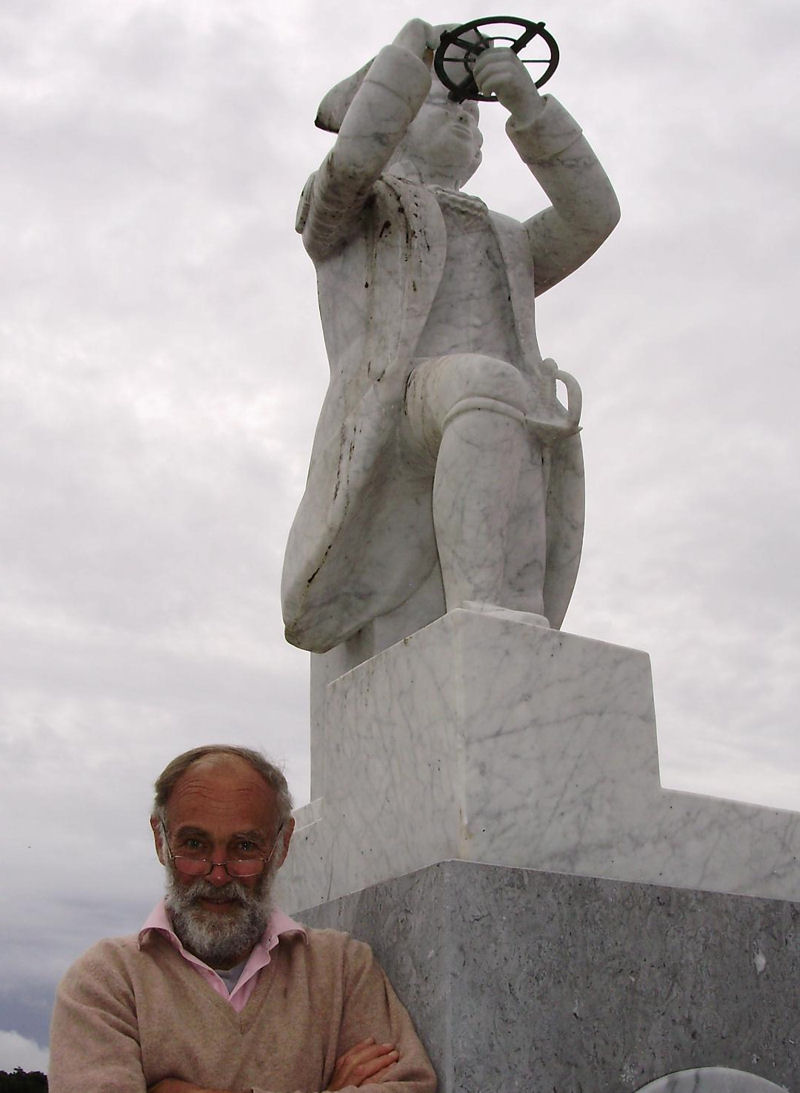
The director alongside the statue of Jean-Charles de Borda, capitaine et savant, in l’École Navale in Brest, 24.9.2010. Photo by Gwenaelle Bichelot.